
Pagebroom: Page Cleaner
Hide any page element for good, auto-reject cookie banners and strip tracking from links. Nothing leaves your browser.
Chrome and Opera listings coming soon.
Works with Chrome 120+, Firefox 120.0+, Opera 106+v1.0.2
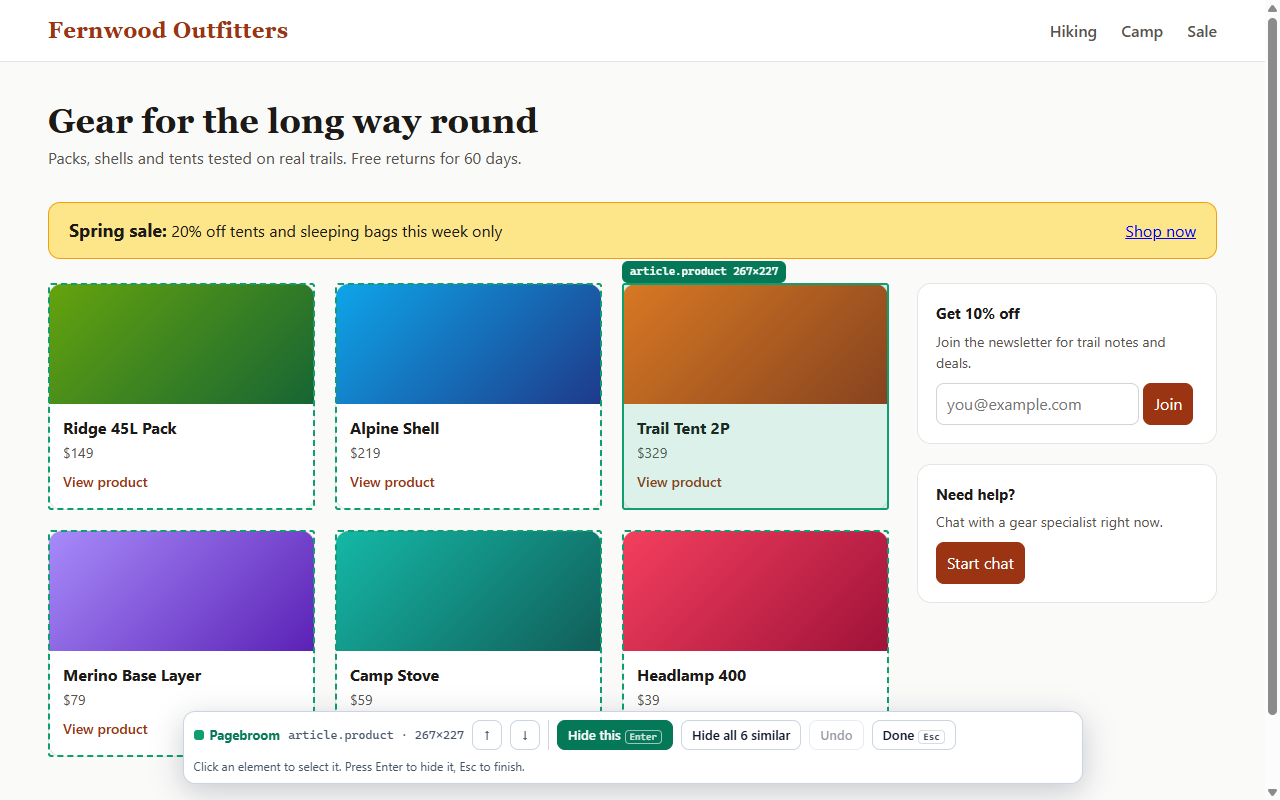
- Hide anything, forever
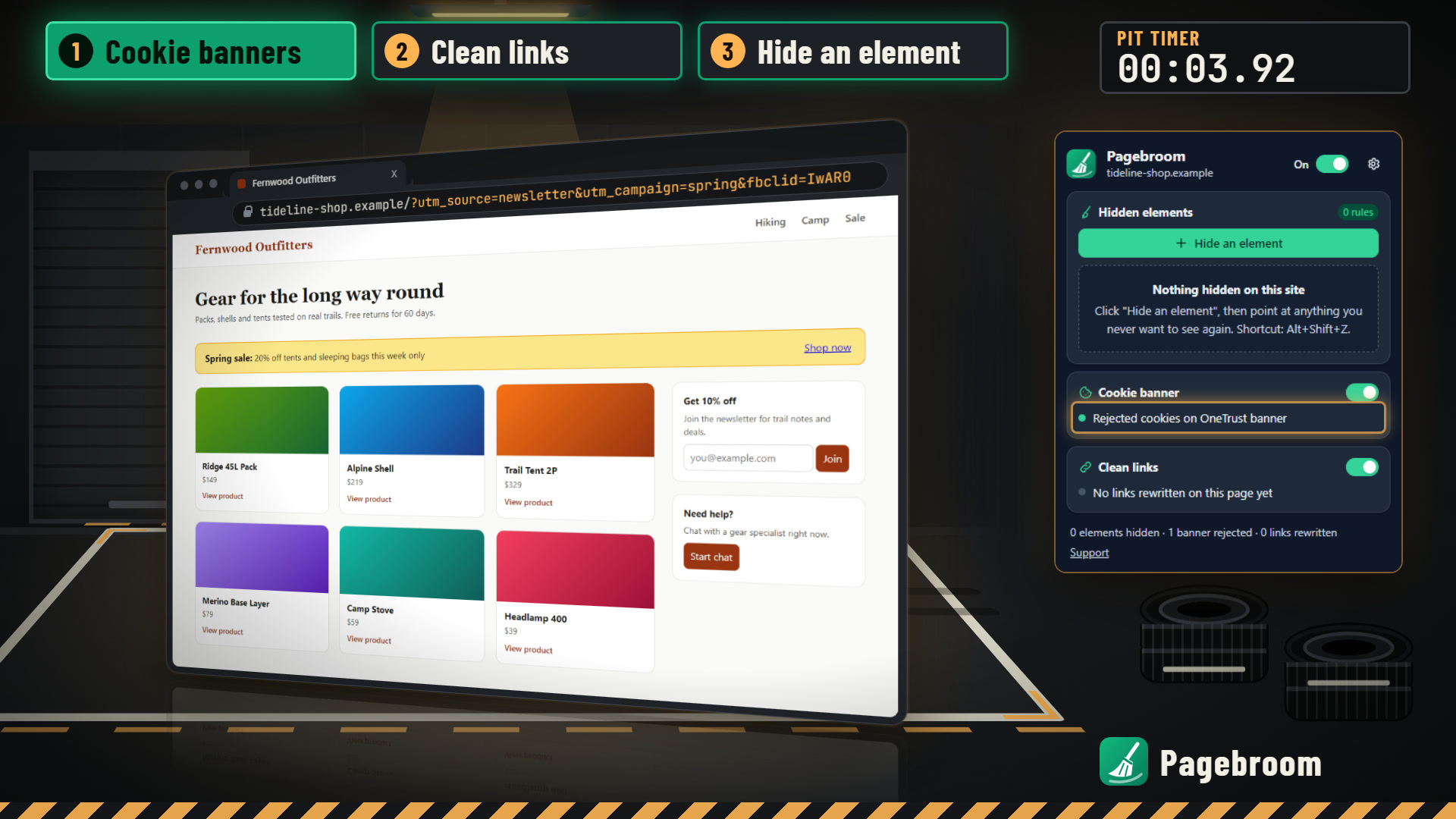
- Cookie banners, handled
- Clean links
About Pagebroom: Page Cleaner
Pagebroom cleans up the web for you: hide anything on any site and it stays hidden, cookie banners are rejected automatically, and tracking junk is stripped from the links you open and share. Everything happens on your computer. Pagebroom sends nothing anywhere.
HIDE ANYTHING, FOREVER
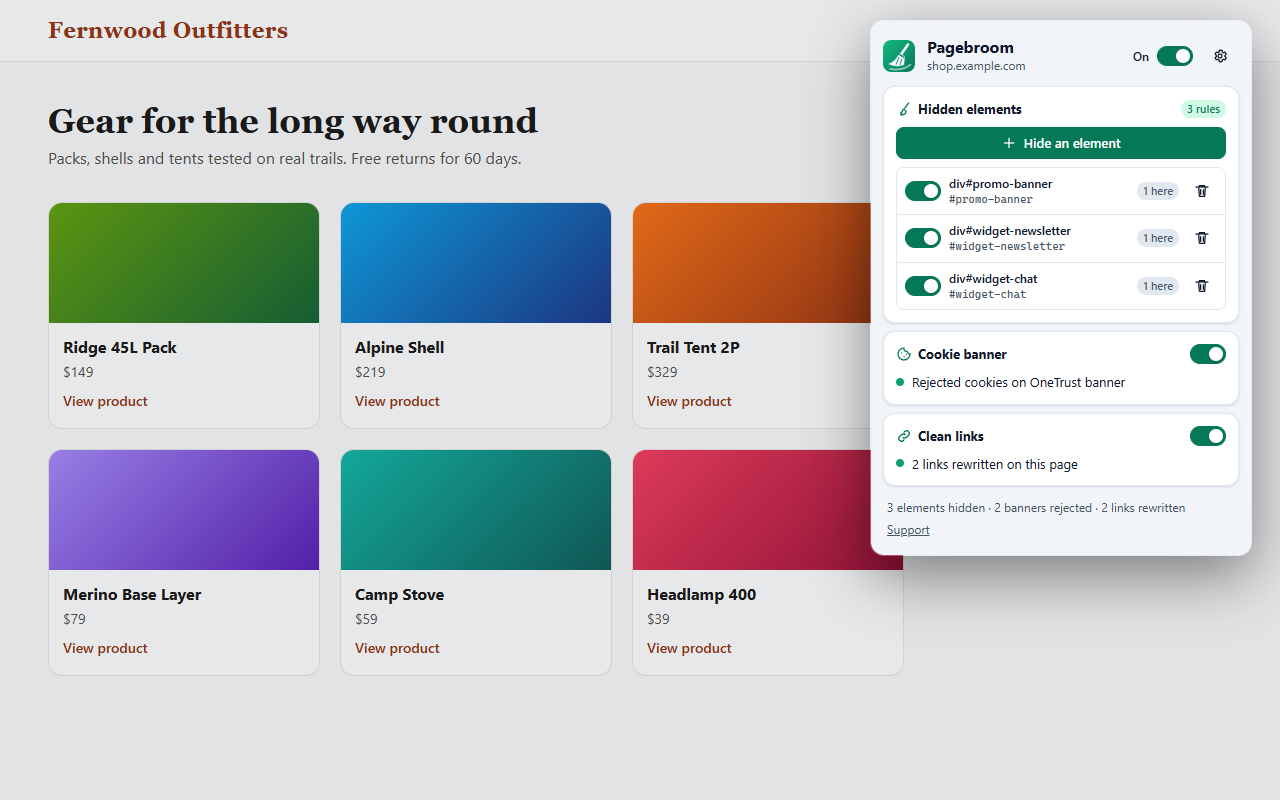
Press Alt+Shift+Z (or click "Hide an element" in the toolbar popup, or right-click and choose "Hide this element"), point at the thing you never want to see again and click it. Use the arrow keys to select a bigger or smaller piece, or hide every similar item in one go, for example every sponsored card in a feed. Your choices are remembered per site and applied the moment the page starts loading, so the clutter never flashes back. Made a mistake? Undo is one click away, and every rule can be switched off or deleted later.
COOKIE BANNERS, HANDLED
When a site asks about cookies, Pagebroom picks the reject option for you. It knows the consent pop-ups of the most common providers and also recognises unfamiliar banners in many languages (English, German, French, Spanish, Italian, Dutch, Portuguese, Polish and more). Pagebroom never presses Accept, Allow or OK. If a banner offers no way to refuse, Pagebroom simply hides it and gives you your scrolling back. The toolbar popup tells you what happened on the current page.
CLEAN LINKS
Tracking parameters such as utm_source, fbclid and gclid are removed from the pages you open, and links wrapped by Google, Facebook, YouTube, Reddit and Instagram take you straight to their destination. Right-click any link and choose "Copy clean link" to share it without the baggage. Add your own parameters to the list in Settings.
UNBREAK A SITE IN ONE CLICK
If a site misbehaves, switch Pagebroom off for that site with one toggle in the popup. Nothing is hidden, no banners are touched and links are left alone there until you switch it back on.
YOUR DATA, YOUR CALL
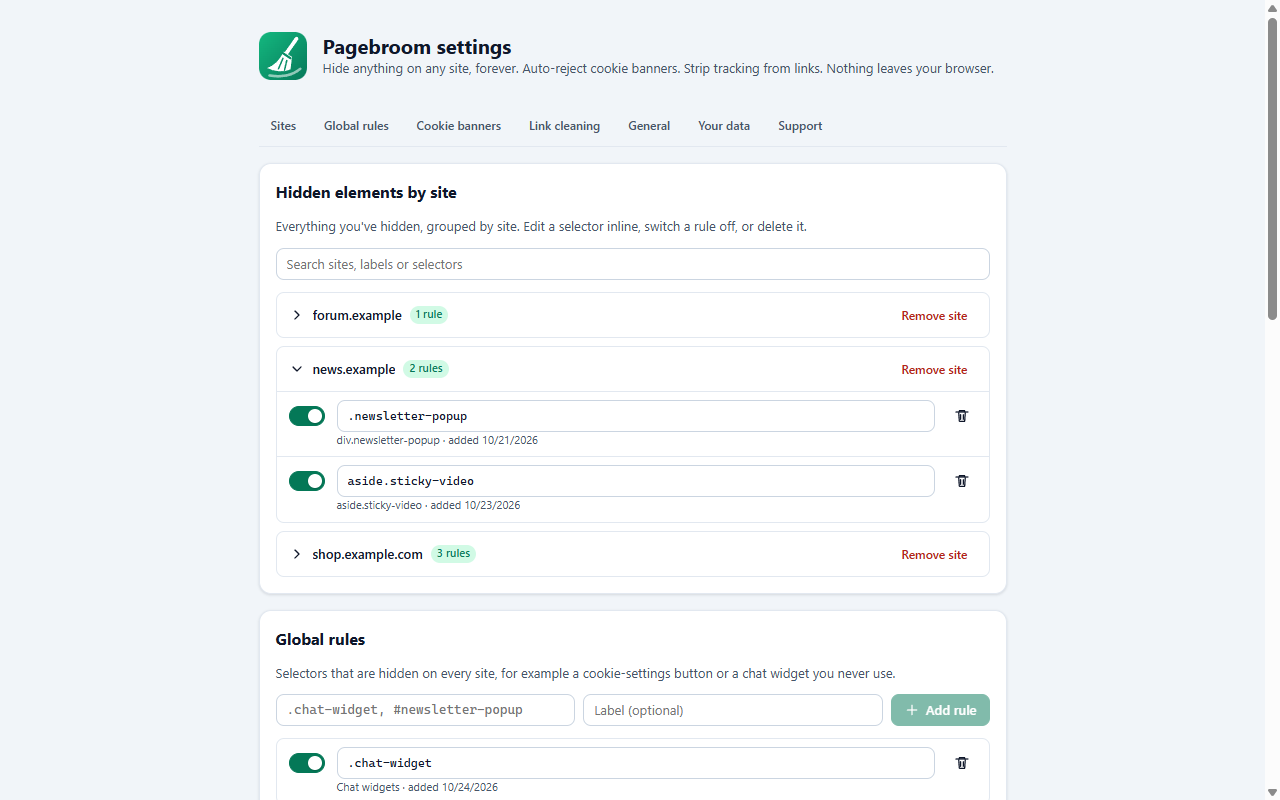
The Settings page lists every site you have customised. Search it, edit a rule, add rules that apply everywhere, and export or import everything as a file to back up or move to another computer. Optionally show the number of hidden elements on the toolbar icon.
HOW TO USE
- Open any website and press Alt+Shift+Z.
- Point at an element and click it, then press Enter (or choose "Hide this" or "Hide all similar").
- Press Esc when you are done. Open the Pagebroom toolbar popup any time to review or undo.
PRIVACY
Pagebroom has no accounts, no analytics and no servers. Your rules, settings and counters are stored only in your browser. Pagebroom needs permission to run on all websites because your rules and the cookie banner and link features have to work on whichever sites you visit; it does not read or record what you do there.
SUPPORT
Questions or a site that does not behave? Email extension-support@calvin-iyer.dev, or use the "Help & feedback" line in Pagebroom's settings page.
This extension is free and has no paid features. If you find it useful, you can optionally donate through GitHub Sponsors or Buy Me a Coffee using a link in the settings page or the small "Support" link at the bottom of the toolbar popup. Donating changes nothing in how the extension works.
Permissions, in plain words
8
- storage
- Saves the user's hiding rules, settings, per-site pause and cookie switches and lifetime counters in the browser so they survive restarts. Per-tab results (what the cookie banner handling did on a page) are kept only for the open tab and cleared when it closes.
- contextMenus
- Adds two right-click items: "Hide this element" (hides the element under the pointer) and "Copy clean link" (on links).
- declarativeNetRequest
- Removes tracking parameters (utm_*, fbclid, gclid and similar) from page addresses before the page loads, using a bundled, fixed list plus the user's own parameters, and lets the user pause that for one site. No request is blocked, observed or logged.
- offscreen
- Chrome and Opera only (the Firefox build drops it). "Copy clean link" has to write to the clipboard, which the extension's service worker cannot do by itself. A hidden helper page is opened only for that moment and closed straight after.
- clipboardWrite
- Puts the cleaned link on the clipboard when the user chooses "Copy clean link". Pagebroom never reads the clipboard.
- <all_urls>
- The user's hiding rules, the cookie banner handling and link cleaning must work on whichever website the user visits, and removing tracking from page addresses requires access to the address being loaded. Pagebroom keeps what it needs in the browser and does not read, store or transmit page content.
- Content script on all pages, all frames, at page start
- Rules must apply as the page starts loading so hidden elements never flash, and cookie banners often live inside embedded frames.
- Keyboard command Alt+Shift+Z
- Starts "hide an element" mode without opening the popup. The user can change the key at chrome://extensions/shortcuts (Chrome), opera://extensions/shortcuts (Opera) or about:addons, Manage Extension Shortcuts (Firefox).
Changelog
2
v1.0.2
- Popup and settings counts use the singular noun when a count is 1 ("1 element hidden"); no other change.
v1.0.0
- First release: element zapper with per-site and global rules, cookie banner auto-reject, clean links, per-site pause, popup and settings page.
Support and privacy
Email
extension-support@calvin-iyer.devPagebroom: Page Cleaner
privacy policy for Pagebroom: Page Cleaner